About the Lockers
New remote lockers have been installed at three Lawrence locations: Hy-Vee, Prairie Park Nature Center, and Sports Pavilion Lawrence. Thanks to the collaboration of these local partners and the generous financial investment from the Lawrence Public Library Friends & Foundation, the library can provide better access to the physical collection — books, DVDs, video games, and more — without requiring patrons to travel as far.

Sports Pavilion Lawrence
100 Rock Chalk Lane
- Located in the front lobby right off the entrance
- Sport Pavilion Lawrence Website

Hy-Vee
3504 Clinton Parkway
- Use east entrance labeled "Pharmacy" over the doors; it will just inside on your left

Prairie Park Nature Center
2730 Harper Street
- Located west of the main door under the covered walkway
- Prairie Park Nature Center Website
How to Place a Hold for Locker Pickup
To place a hold to pick up at a remote locker, find your item in the catalog, and click the ‘Place hold’ button.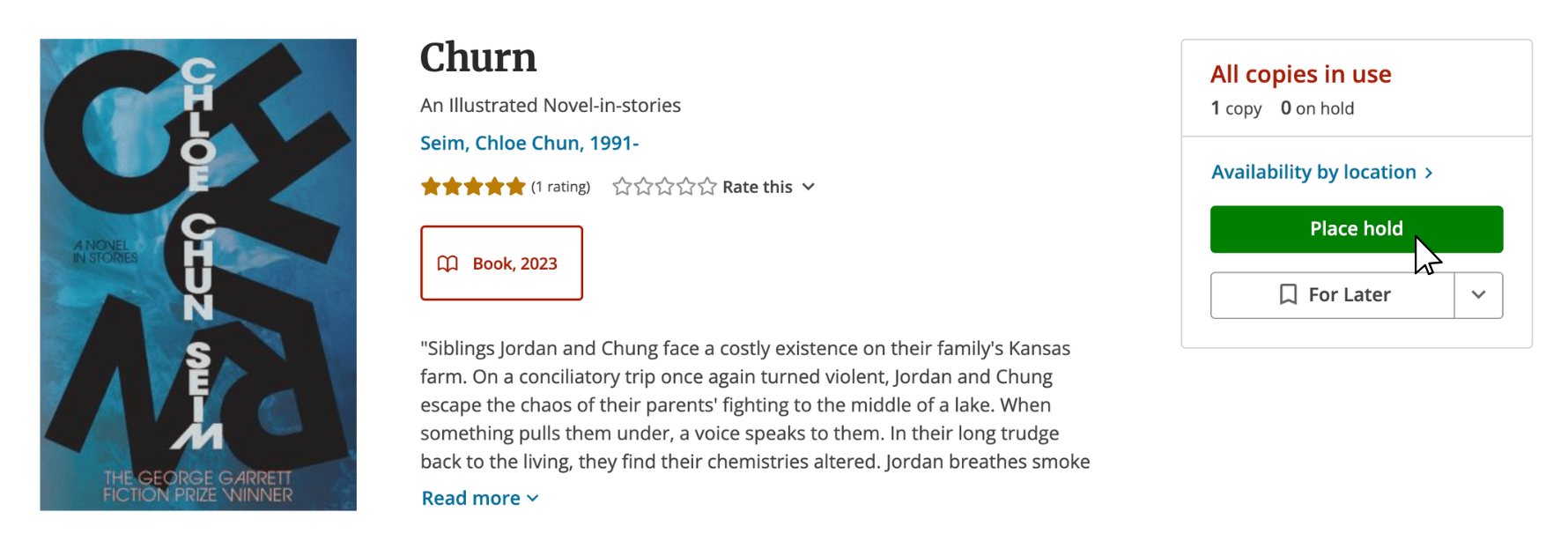
Select the pickup location of your choice from the dropdown menu, then confirm by clicking the ‘Place hold' button.
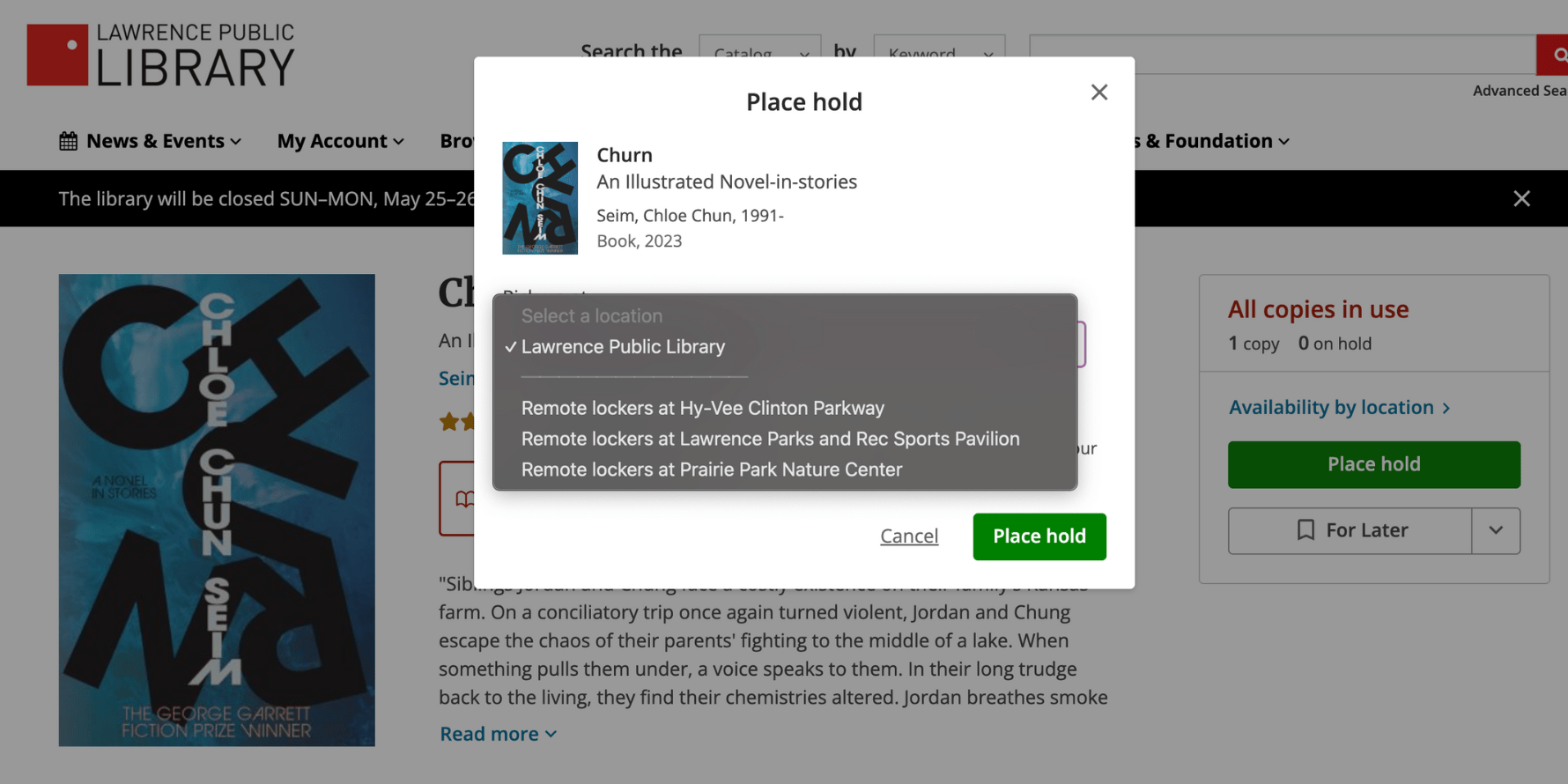
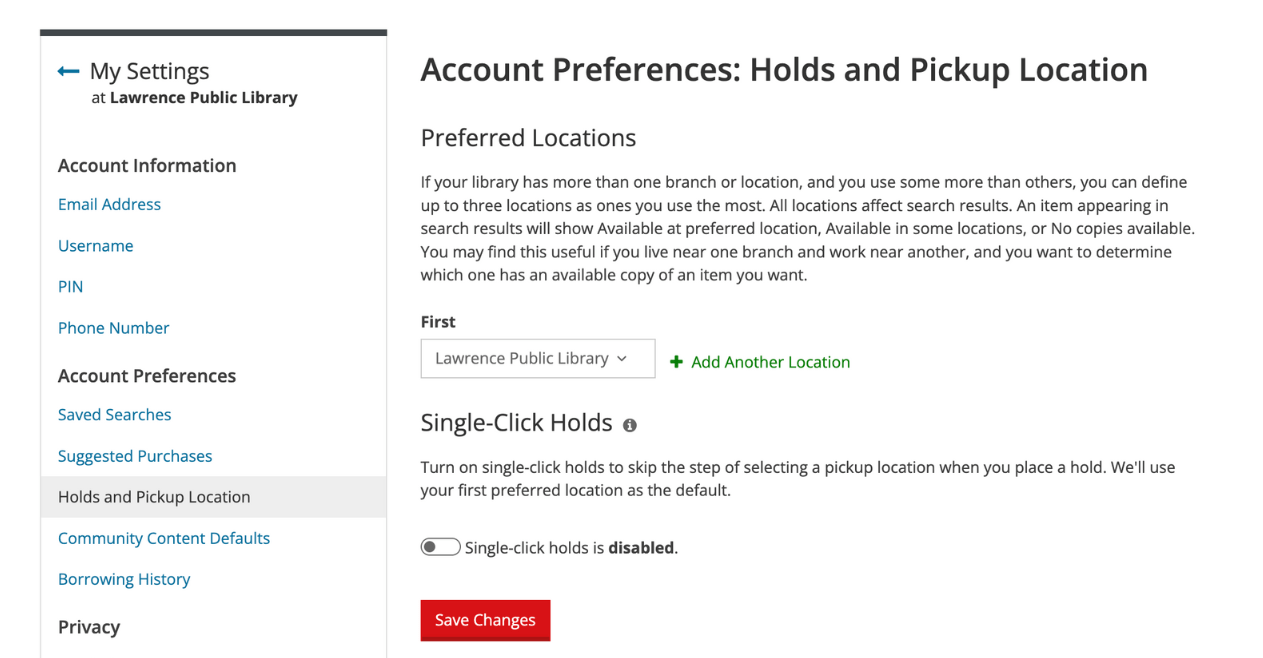
If you don’t see this option, you may need to turn off your single-click hold preference under the ‘Holds and Pickup Location’ section of your library account’s ‘My Settings’ menu.